Fostering competition and enhancing
the crossfit training visualization
More practicality, convenience and efficiency when viewing crossfit training.
Understanding the sport and your lifestyle
Those who don't know crossfit closely, just know that it is a challenging sport that combines weightlifting, gymnastics and conditioning in a combo of intense exercises called WOD (workout of the day). More than that, crossFit is a large community with athletes of all levels, committed to learning new movements and overcoming challenges. In addition to a strong sense of collaboration and encouragement among members, the community is passionate about the sport and one of its main characteristics is competition. They promote internal, regional and even world championships, such as the Crossfit Games.
A little more context
Daily training sessions are made available to students in advance, often through a spreadsheet provided by the coach. More advanced students compete against each other and record their results on a physical daily monitoring board. Each WOD is structured with a time limit for all participants (the famous "cap") and a challenging goal for students seeking a more advanced level of conditioning.
Product purpose
The idea is to offer a better experience in viewing training and engaging students who enjoy healthy competition. As a crossfit student, I can say that the spreadsheet does not offer a good reading experience - especially on mobile devices, and a place to record and track results has a high motivational power for the class.
The solution
Researching some benchmarks, I noticed that similar applications had some problems such as slow loading of information and complexity in using the product, but despite this, they solved the problem they had.
So I decided to develop a solution that would offer some “aha” moments.
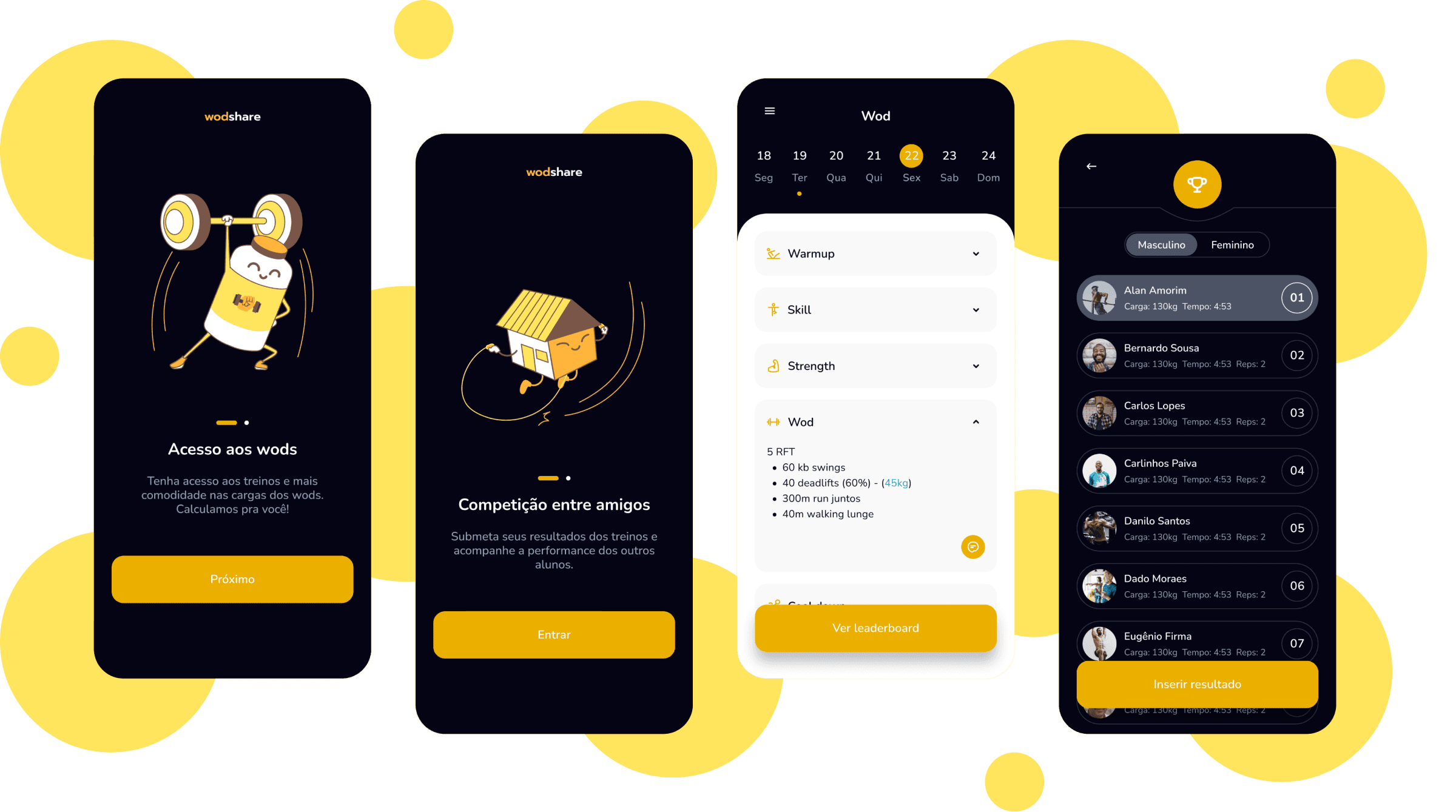
Better experience viewing workouts
A crossfit workout is divided into blocks. Each block has some movements that must be performed per step. As there is a lot of information written on the screen, I chose to organize it with the help of Dropdown.
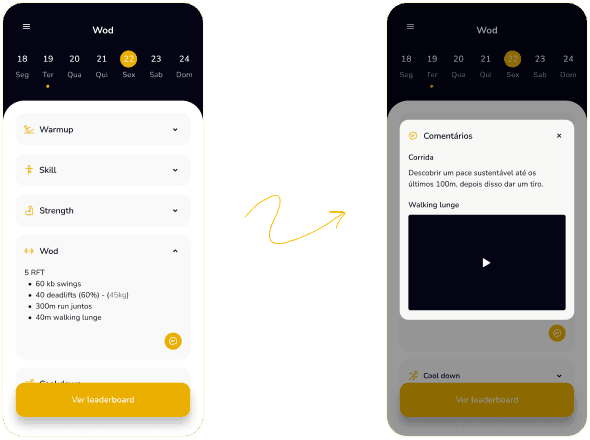
Space for coach observations and comments
I created a space to facilitate communication between coach and students. It is common to have doubts - and consequently, sending tips - about executing the movement, level of intensity to be applied, adaptations, etc. Therefore, each training block has a comments section where is possible to add text and video.
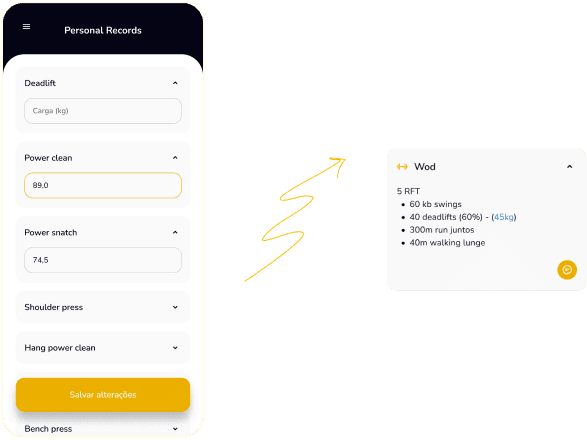
Weights calculation based on PR's (personal records)
I created a space to facilitate communication between coach and students. It is common to have doubts - and consequently, sending tips - about executing the movement, level of intensity to be applied, adaptations, etc. Therefore, each training block has a comments section where is possible to add text and video.
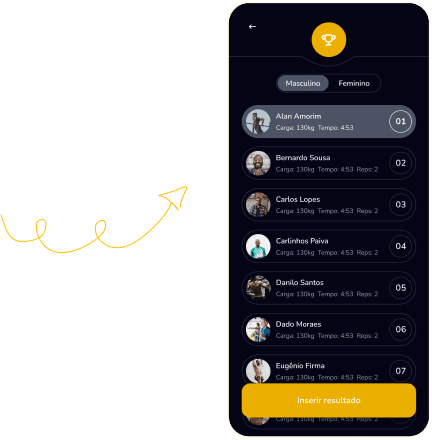
Lastly, encouraging healthy competition
Crossfit athletes love competition. Who finished in the shortest time? Who took the biggest load? These are issues discussed in each WOD and therefore received special attention in this product. Each training session has a leaderboard, where it is possible to submit a result and view those already submitted in a ranking format. In addition, it is divided into male and female categories (because the reference loads are different).
Final Note
Wodshare is a personal project that has been well adopted and used by a small user base. Despite this, the product has been studied and some features still need to be created, such as the insertion of WOD and the management of students who can access training.
@2024 Juliana
Made in figma